Free GoSlimStratum User Client

GSSUC

Your Miners' Window into the Pool

A web-based interface that lets miners connected to your GoSlimStratum pool view their own statistics, block discoveries, and earnings. Free bolt-on for any GSS installation.

Free Forever
No Cost
Multi-Coin
All GSS Coins
Real-time
Live Stats
Easy Config
Just Deploy
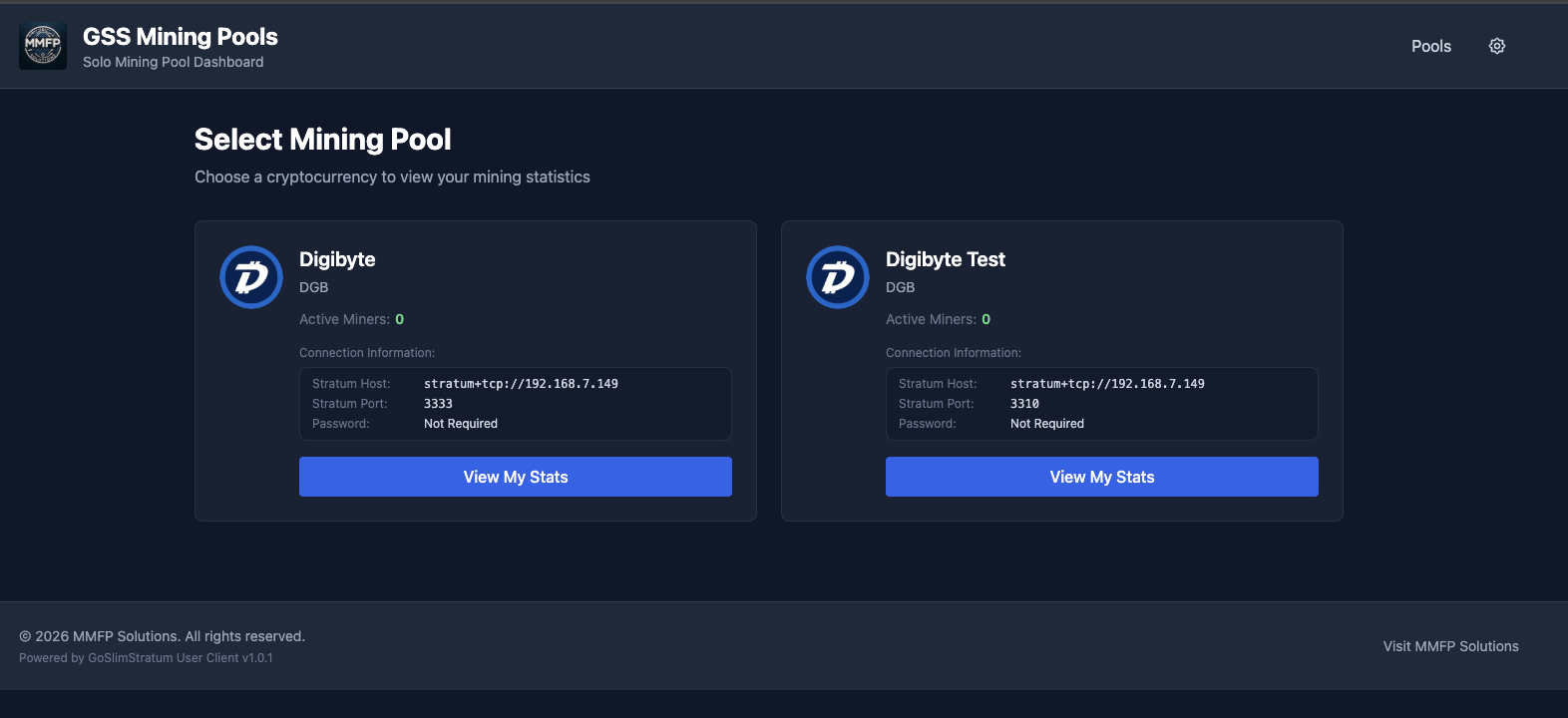
GSSUC Pool Selection Interface

Features

Everything your miners need to track their performance, all from a simple web interface.

Pool Selection

Miners choose which coin pool to view. Shows active miners count, stratum connection info (host, port).

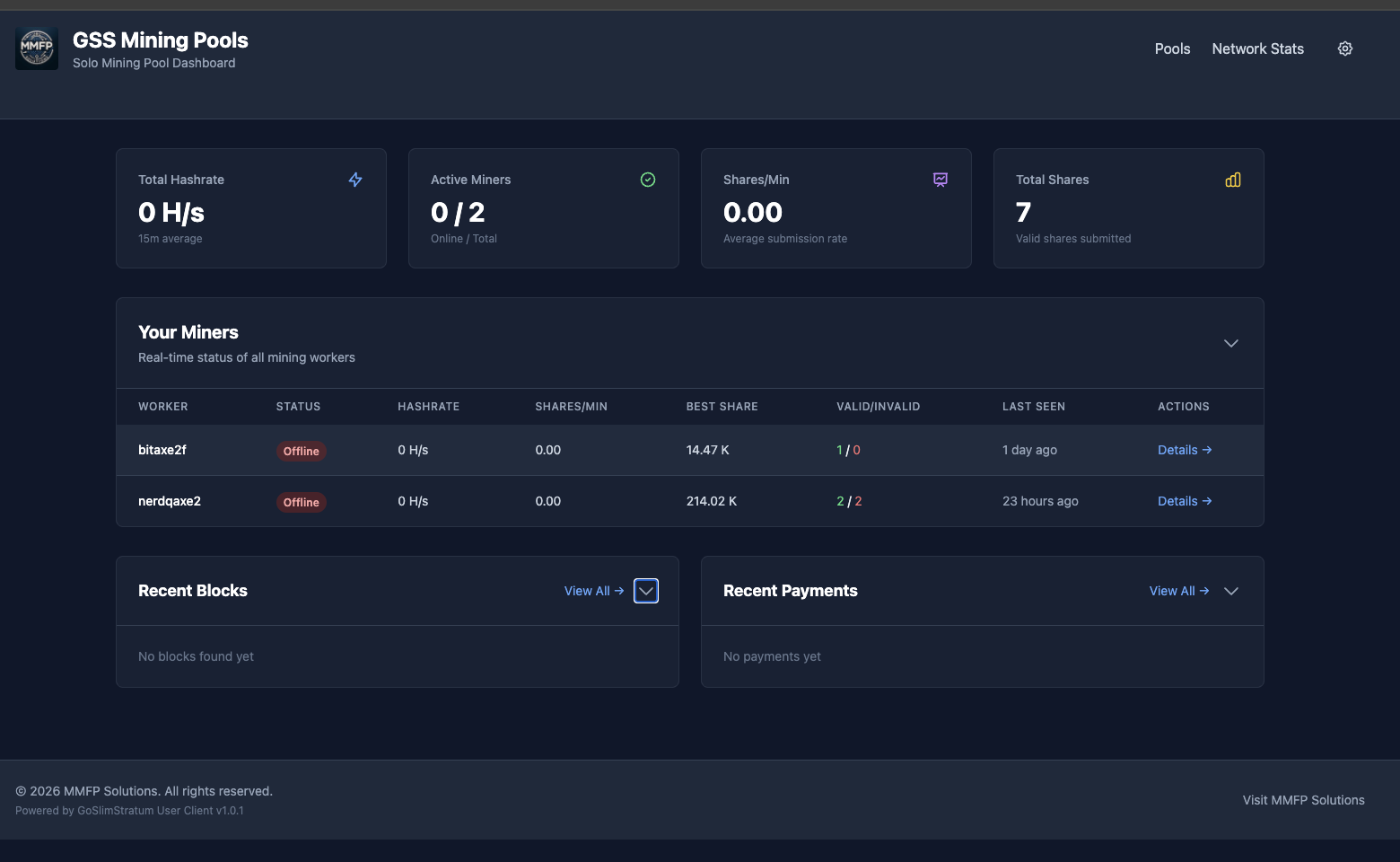
Miner Dashboard

View all miners under a single wallet address. Real-time hashrate, shares, difficulty tracking.

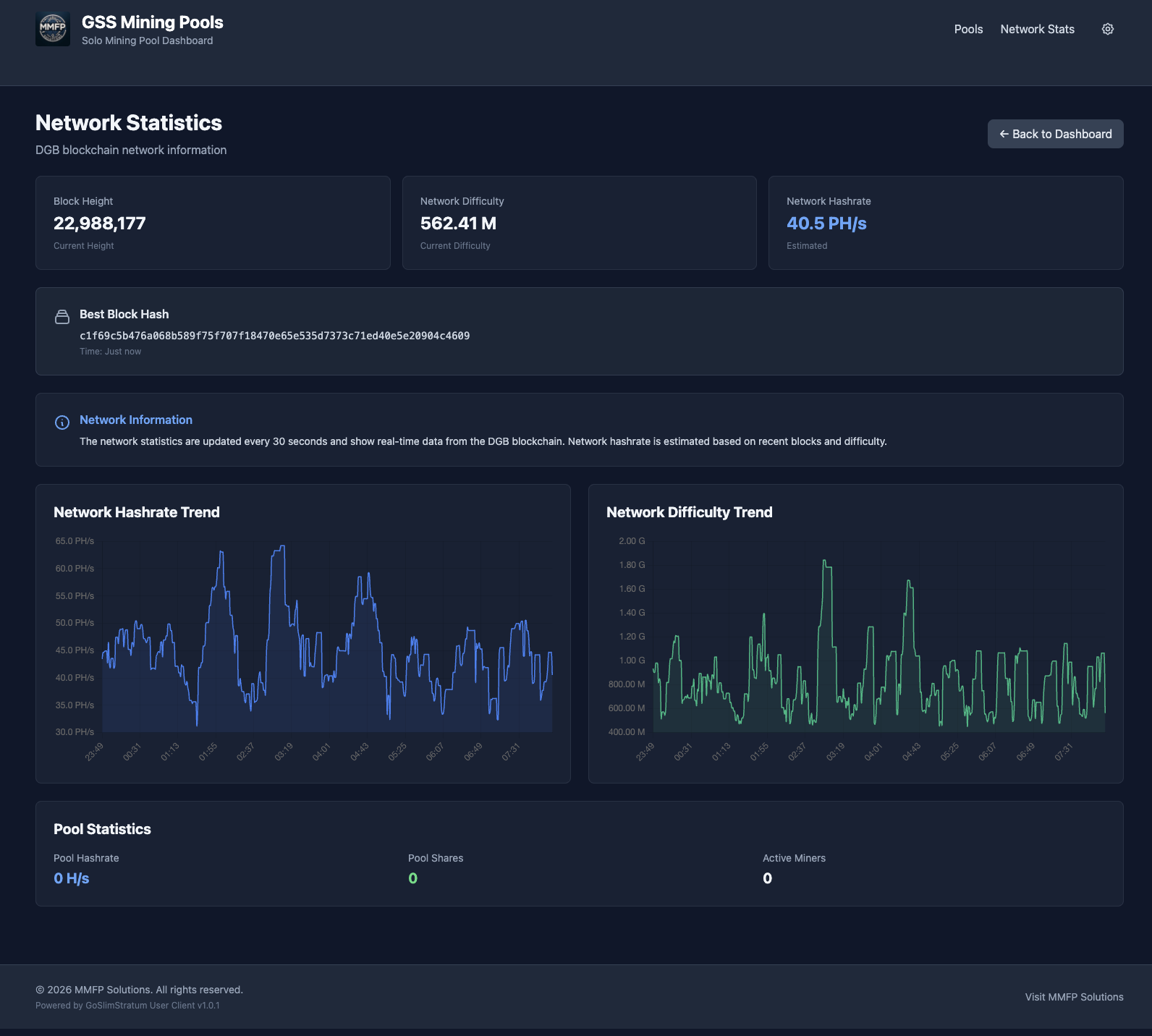
Network Status

Network connectivity information, blockchain stats, pool health status.

Multi-Coin Support

Works with all coins configured in GoSlimStratum: DGB, BTC, BCH, XEC, and custom coins.

Screenshots

See GSSUC in action. Click any screenshot to enlarge.

Pool Selection - Choose a cryptocurrency pool to view your stats

Pool Selection — Choose a cryptocurrency pool to view your stats

Miner Dashboard - Real-time hashrate and mining statistics

Miner Dashboard — Real-time hashrate and mining statistics

Network Status - Connectivity and blockchain information

Network Status — Connectivity and blockchain information

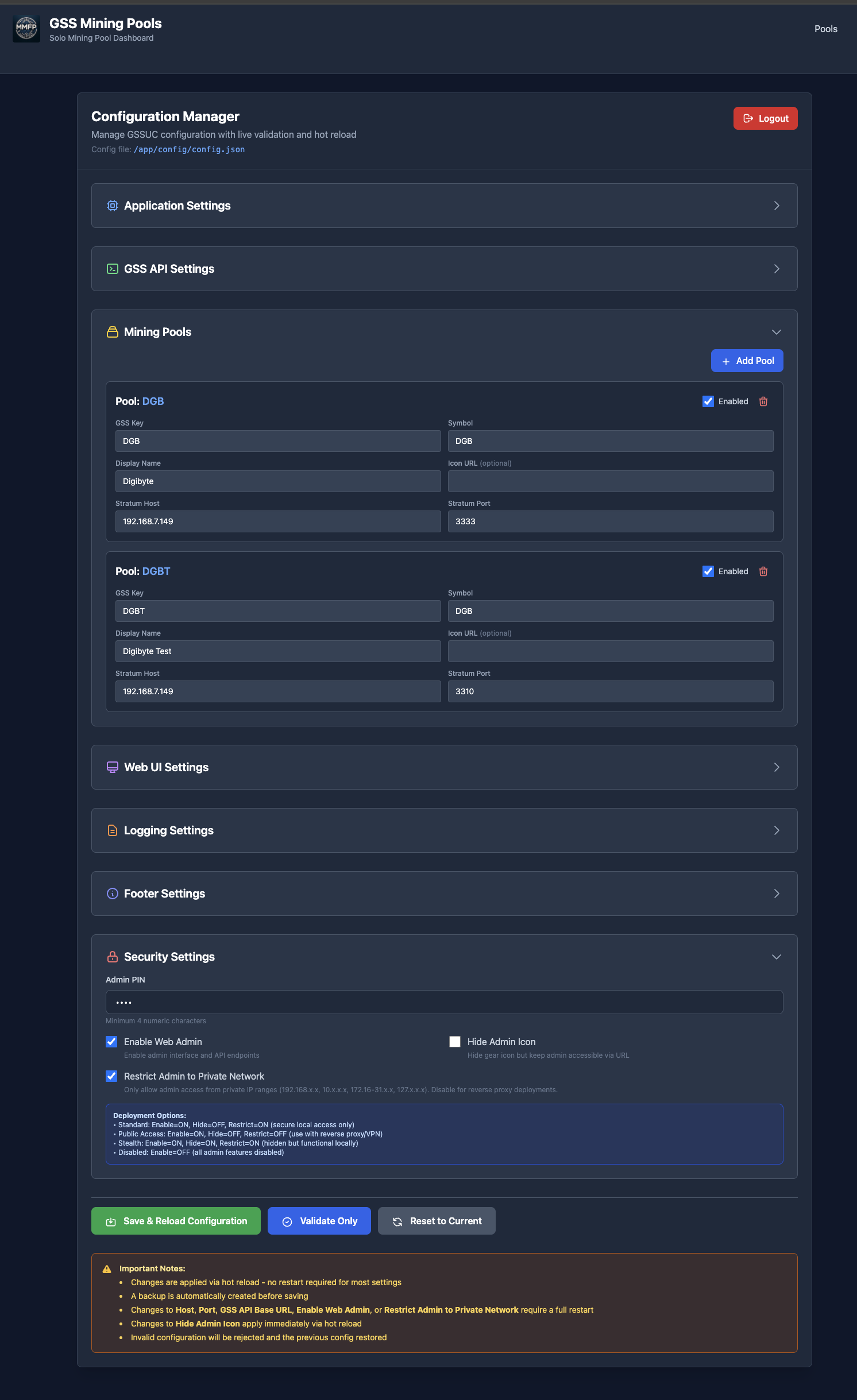
Configuration - GSSUC settings and preferences

Configuration — GSSUC settings and preferences

How It Works

Three simple steps to give your miners full visibility into the pool.

1

Install GSSUC

Deploy alongside GoSlimStratum. Available for install through MIM.

2

Miners Connect

Miners visit the GSSUC web interface and select their pool.

3

View Stats

Miners can see their hashrate, shares, blocks, and earnings in real-time.

Frequently Asked Questions

Common questions about GSSUC.

Ready to Deploy GSSUC?

Give your miners full visibility into the pool.
Free forever, easy configuration.