Ready-to-Deploy mining infrastructure tools for AxeOS and Digibyte
MIM Bootstrap - Complete Installation Guide
Complete mining infrastructure in 15 minutes. MIM Bootstrap is an automated deployment tool that sets up everything you need to run a professional Digibyte mining operation.
Note: MIM Bootstrap installs all MMFP products (AxeOS Dashboard, MIM, and supporting infrastructure). If you prefer to install components individually, see the individual product sections below.
What's Included
Digibyte Core 8.26.1 - Full blockchain node with pruning options
GoSlimStratum - Lightweight SHA256 solo mining pool
On first run, navigate to http://YOUR-SERVER-IP:3000 to access the setup wizard. You'll be guided through a simple 4-step configuration:
Basic Settings & AxeOS Devices: Set your dashboard title and add your AxeOS miner URLs (e.g., http://192.168.1.100)
GoSlimStratum Integration (Optional): Connect to your GoSlimStratum pool instances for pool statistics
Crypto Node Integration (Optional): Connect to your Digibyte Core node via JSON RPC for blockchain data
Create Configuration: Review and save your settings to complete the setup
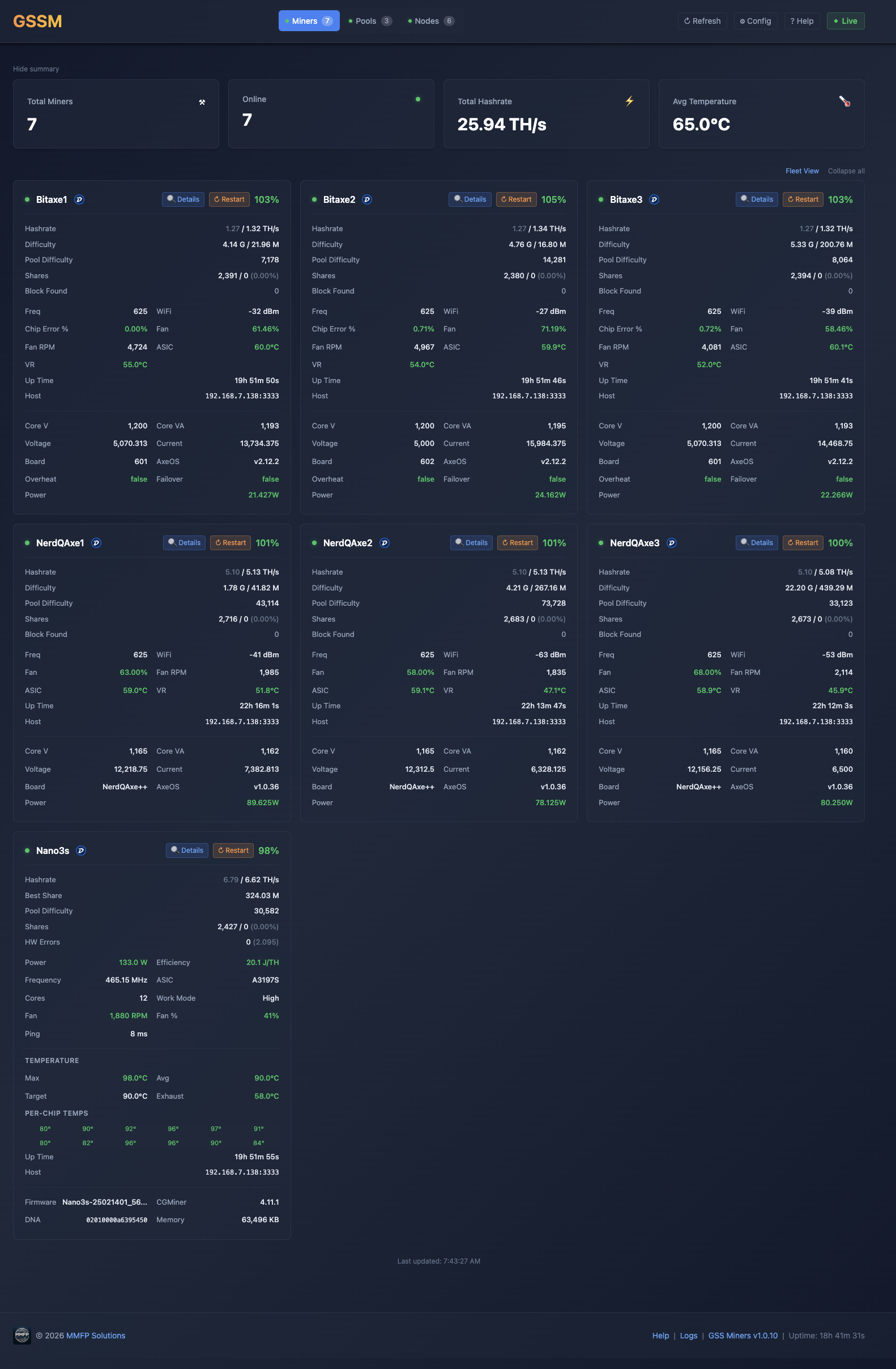
After configuration, the dashboard will automatically start monitoring your miners and display real-time statistics including hashrates, temperatures, and pool performance.
MIM (Mining Infrastructure Manager)
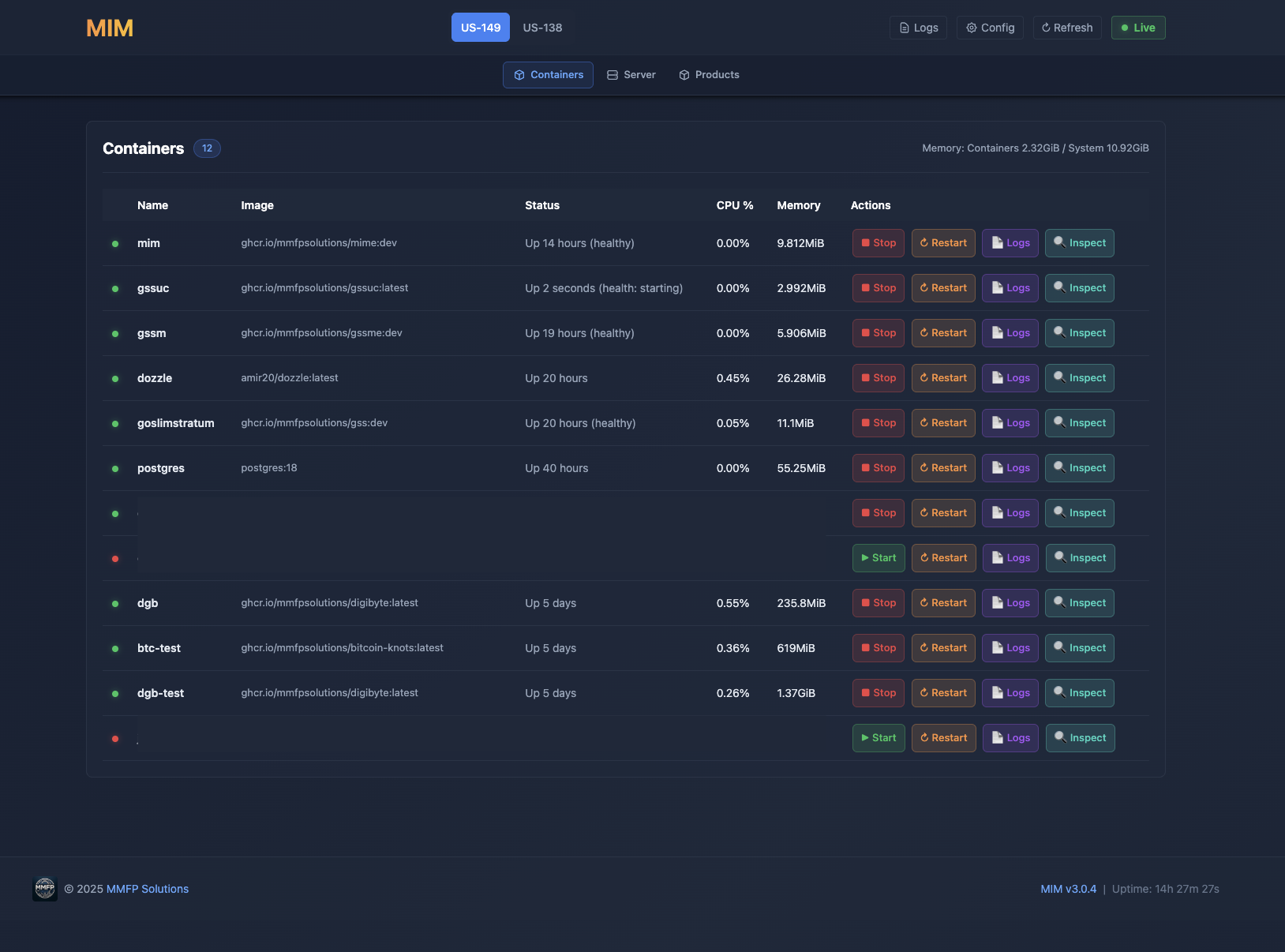
Intelligent configuration and management tools. MIM provides a web-based interface for managing Digibyte Core nodes, GoSlimStratum pools, and supporting infrastructure.
Note: MIM is included in MIM Bootstrap. Install it separately only if you need standalone infrastructure management without the full bootstrap suite.
Features
Web-based configuration interface
Digibyte Core node management
GoSlimStratum pool configuration
Docker Compose orchestration
Real-time status monitoring
Configuration validation
What It Does
MIM simplifies complex infrastructure management by providing:
Configuration management: Store and manage multiple configuration profiles
Validation: Automatic validation of settings before deployment
Status monitoring: Real-time view of all infrastructure components
Note: The mim user must exist on the target server with Docker permissions. When using MIM Bootstrap, this user is created automatically.
Access
After installation and configuration, access MIM at http://YOUR-SERVER-IP:3001
GoSlimStratum
Lightweight multi-coin Stratum mining pool server. GoSlimStratum is a production-ready solo mining pool written in Go, designed to bridge ASIC miners (like Bitaxe) directly to blockchain nodes. Supports 21 SHA256d coins including Bitcoin, DigiByte, Bitcoin Cash, eCash, and more.
Solo Mining Pool: Each miner receives the full block reward for blocks they find. No reward sharing between miners - ideal for high-hashrate ASIC devices.
Multi-Coin Support: 4 built-in coins (BTC, DGB, BCH, XEC) plus 17 additional SHA256d coins configurable via external coins.json file.
Key Features
Multi-Coin Support - 4 built-in coins plus 17 additional coins via coins.json configuration
Bitaxe Optimized - Special handling for Bitaxe ASIC prevhash word-level endian swapping
Comprehensive Metrics API - 20+ REST endpoints for pool monitoring
Integration with AxeOS Dashboard - Comprehensive integration with MMFP AxeOS Dashboard
Manage with MIM - Deploy, start, stop, monitor with MMFP MIM
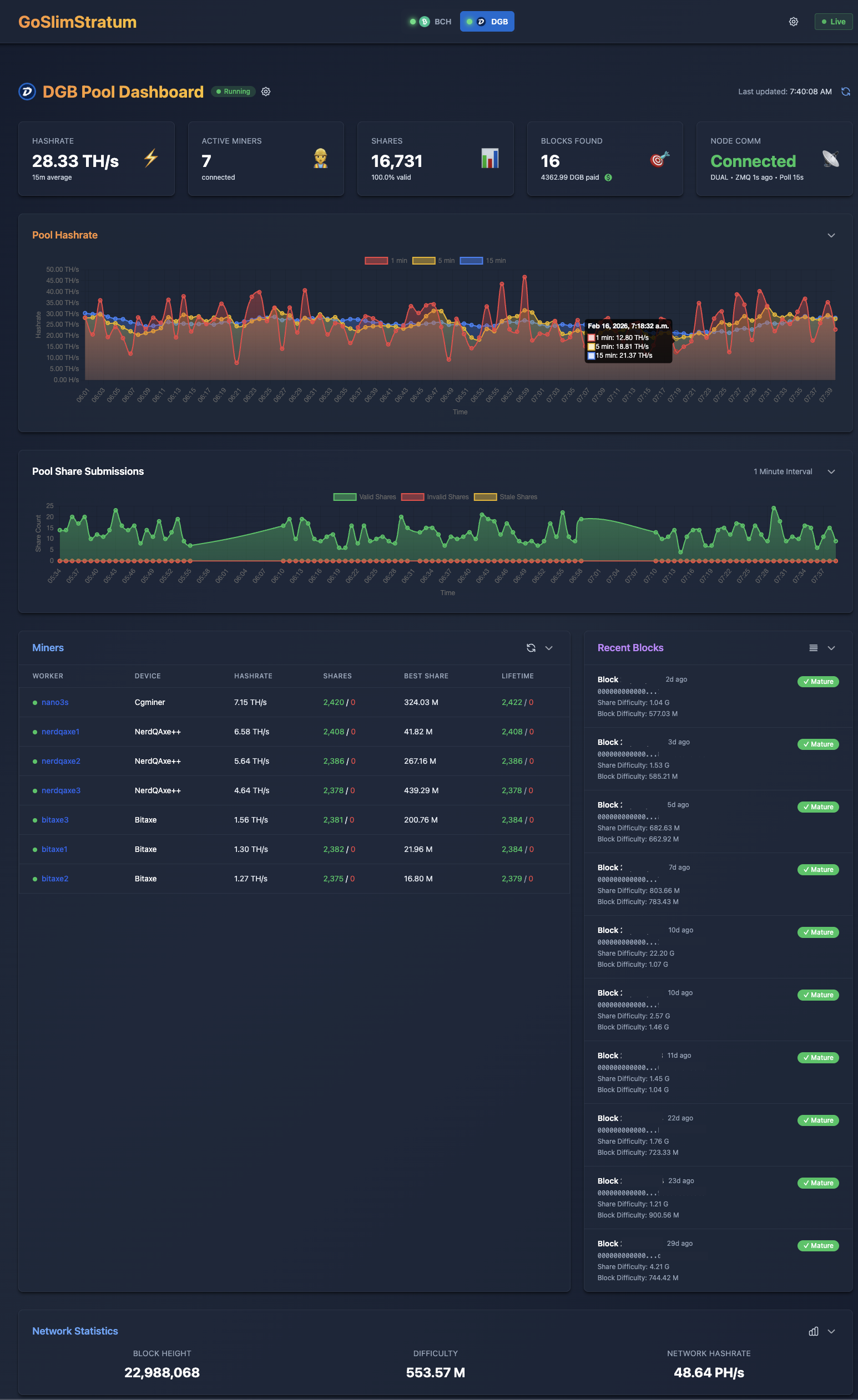
Dashboard Screenshots (Samples)
Pool Dashboard - Real-time hashrate, active miners, shares, and block tracking
Miner Details - Per-worker performance, hashrate history, and difficulty adjustments
Network Statistics - Blockchain difficulty and hashrate trends
Supported Coins
GoSlimStratum supports 21 SHA256d coins through two methods:
Note: All version bits (P2PKH, P2SH, Bech32) listed are for mainnet.
Built-in Coins
These coins have native implementations and only require a config.json coin object to enable:
Coin
Symbol
SegWit
P2PKH
P2SH
Bech32
Notes
Bitcoin
BTC
Yes
0 (0x00)
5 (0x05)
bc
Reference implementation
DigiByte
DGB
Yes
30 (0x1E)
63 (0x3F)
dgb
SHA256d algo only (5 algo coin)
Bitcoin Cash
BCH
No
0 (0x00)
5 (0x05)
-
CashAddr: bitcoincash:
eCash
XEC
No
0 (0x00)
5 (0x05)
-
CashAddr: ecash:
coins.json Compatible Coins
These coins can be added via external coins.json file without code changes:
Technical Level: Advanced! If you are not comfortable editing JSON files or working with Linux, please reconsider. Incorrect configuration will break your GoSlimStratum instance.
Important: All external coins require a blockchain node to mine against. MMFP Solutions does not provide node software for these coins.
Use at Your Own Risk: It would be impossible for MMFP Solutions to test all coin types. Test and verify before using in production.
Coin
Symbol
SegWit
P2PKH
P2SH
Bech32
Notes
Peercoin
PPC
No
55 (0x37)
117 (0x75)
-
PoW only
Terracoin
TRC
No
0 (0x00)
5 (0x05)
-
Ixcoin
IXC
No
138 (0x8A)
5 (0x05)
-
Devcoin
DVC
No
0 (0x00)
5 (0x05)
-
Bitcoin SV
BSV
No
0 (0x00)
5 (0x05)
-
Fork of BCH
Unobtanium
UNO
No
130 (0x82)
30 (0x1E)
-
Rare, capped supply
Zetacoin
ZET
No
80 (0x50)
9 (0x09)
-
Fast blocks
Deutsche eMark
DEM
No
53 (0x35)
5 (0x05)
-
EmerCoin
EMC
No
33 (0x21)
92 (0x5C)
-
Joulecoin
XJO
No
43 (0x2B)
11 (0x0B)
-
Curecoin
CURE
No
28 (0x1C)
5 (0x05)
-
Science-focused
Crown
CRW
No
0 (0x00)
28 (0x1C)
-
Masternode coin
Freicoin
FRC
No
0 (0x00)
5 (0x05)
-
Demurrage currency
Bytecoin
BTE
No
18 (0x12)
5 (0x05)
-
Not Monero (BCN)
Battlecoin
BCX
No
25 (0x19)
85 (0x55)
-
Titcoin
TIT
No
0 (0x00)
5 (0x05)
-
Myriad
XMY
Yes
50 (0x32)
9 (0x09)
my
SHA256d algo only (5 algo coin)
Bitcoin II
BC2
Yes
0 (0x00)
5 (0x05)
bc
Fork of Bitcoin
Adding More Coins: Any standard SHA256d coin can be added via coins.json. See the configuration section below for details.
System Requirements
Software: Docker (recommended) or Go 1.25+
OS: Ubuntu Server 24 or 25 (minimal install recommended)
For coins beyond the 4 built-in options, create a coins.json file and reference it in your config. Place the file in your config directory (e.g., /data/goslimstratum/config/coins.json).
Not Compatible: Coins using merged mining (Namecoin, Elastos, RSK, Syscoin) or non-SHA256d algorithms (Litecoin, Dogecoin, Dash) require custom development and are not supported via coins.json.
Connecting Miners
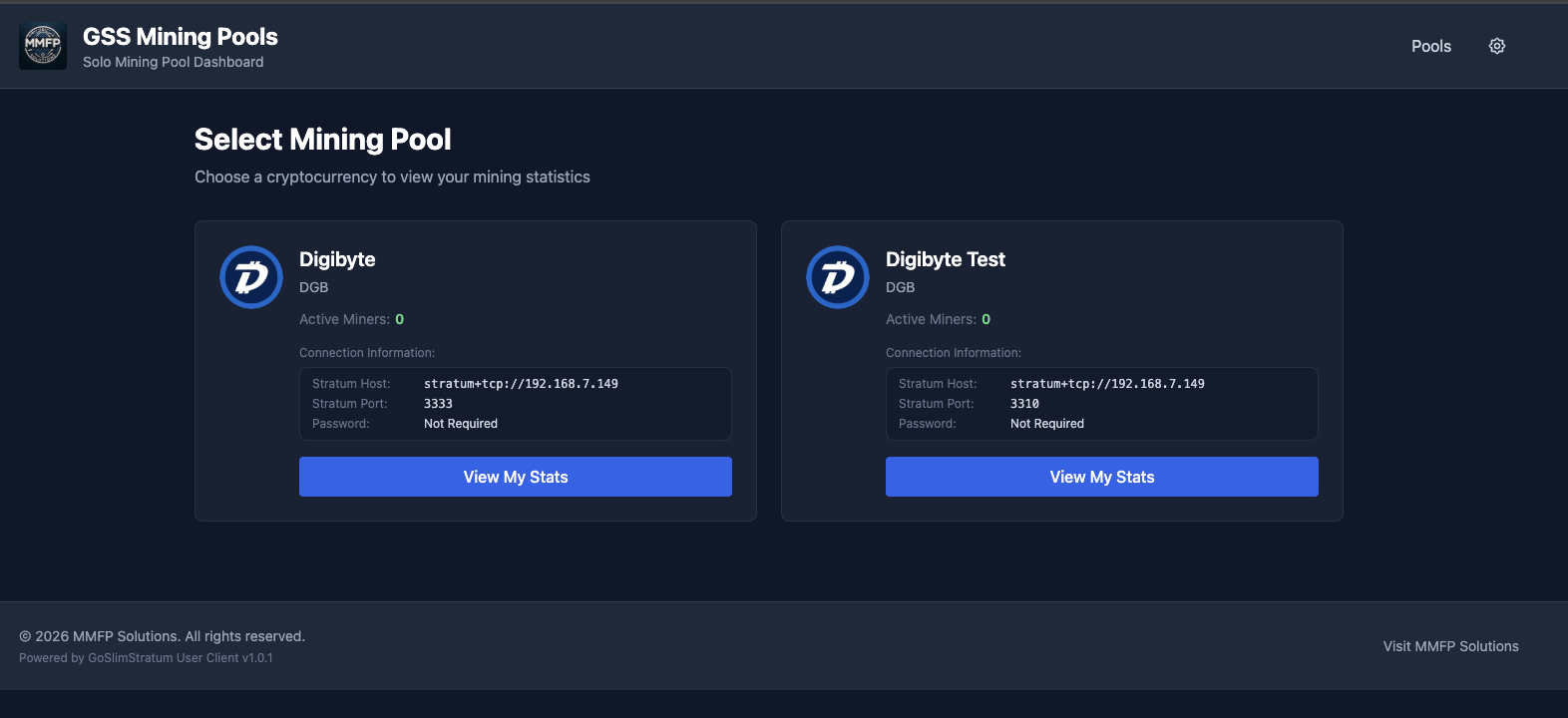
Point your ASIC miners to the pool using the Stratum protocol:
DigiByte:stratum+tcp://YOUR-SERVER-IP:3333
Bitcoin Cash:stratum+tcp://YOUR-SERVER-IP:3334
Bitcoin (Knots):stratum+tcp://YOUR-SERVER-IP:3335
Other coins: Use the port configured in your config.json coin object
Use your wallet address.workerID as the username and any value for the password.
Perfect For: Bitaxe and similar SHA256D ASIC miners running solo mining operations. Supports AMD64 and ARM64 architectures including Raspberry Pi 5.
Frequently Asked Questions
General Questions
What's the difference between the products?
MIM Bootstrap: All-in-one automated installer that deploys the complete stack (AxeOS Dashboard + MIM + Digibyte Core + GoSlimStratum + database + logging). Best for new users.
AxeOS Dashboard: Standalone monitoring dashboard for AxeOS miners. Use if you only need monitoring.
MIM: Standalone management interface for infrastructure configuration. Use if you only need configuration tools.
GoSlimStratum: Lightweight solo mining pool server written in Go. Use if you want to run your own pool with built-in dashboards and automated payouts.
Which product should I use?
New to mining? Use MIM Bootstrap - it sets up everything automatically
Already have infrastructure? Use AxeOS Dashboard for monitoring or MIM for management
Just want to monitor miners? Use AxeOS Dashboard standalone
Want to run your own solo pool? Use GoSlimStratum for a lightweight, modern pool with built-in web dashboard
Are these products really free?
Yes! All MMFP Solutions products are free to use for personal or commercial mining operations. If they add value to your operation, voluntary donations are appreciated but never required.
Installation Questions
What are the system requirements?
For MIM Bootstrap (complete stack):
Ubuntu Server 24 or 25 (minimal install recommended)
CPU: AMD64 or ARM64 Architecture, N150 or better
Memory: 16 GB minimum
Swap: 20 GB minimum, 50 GB recommended
Storage: 65 GB minimum (1 TB recommended for full blockchain)
Network: Stable internet connection
For standalone products (AxeOS Dashboard or MIM):
Ubuntu Server 24 or 25 (or any Docker-compatible OS)
4GB RAM minimum
10GB disk space
Docker version 28.5.1+
ARM64 Support: All MMFP products support both AMD64 and ARM64 architectures natively, including GoSlimStratum.
Do I need to install Docker first?
Yes. All products require Docker. See our installation guide for MIM Bootstrap or visit the official Docker Website.
Can I run this on a Raspberry Pi?
Yes! All MMFP products support ARM64 architecture natively and will run on Raspberry Pi 4/5 or other ARM-based systems.
Why is the installation taking so long?
During MIM Bootstrap installation, the container downloading steps can take a considerable amount of time. Do not be alarmed - just wait.
The system is downloading all components for your mining infrastructure from the GitHub Container Repository. Installation time depends on:
Your internet connection speed
GitHub Container Repository performance
Your server's CPU, memory, and network interface speed
Even on a good internet connection, this can take 10-30 minutes or more. Be patient and let the process complete.
What if the installation fails?
If the install fails, no problem - just start over and do a reinstall:
Identify and correct the issue that caused the failure (network problems, insufficient disk space, etc.)
When reinstalling, select "Do not preserve anything" for a faster, cleaner installation
Consider enabling pruning if you aren't already using it - this reduces disk requirements significantly
Tip: Check the container logs in Dozzle or via docker logs bootstrap to see what went wrong during installation.
Post MIM Bootstrap Install
What happens after MIM Bootstrap finishes?
Once MIM Bootstrap completes, your infrastructure is up and running, but you cannot mine yet. Here's why:
Important: GoSlimStratum will not accept connections until your Digibyte node is fully synchronized with the blockchain.
Your Digibyte Core node needs to download and validate the entire blockchain before GoSlimStratum can start accepting miner connections. This synchronization process can take several hours to a few days depending on:
Your internet connection speed
Your server's CPU and disk performance
Whether you're running a pruned or full node
Network conditions and peer availability
See the "How can I see the status of my node synchronization?" question below for ways to monitor synchronization progress.
I restarted my server, now nothing works
When you restart your server all of the mining Docker containers stop and need to be restarted once the server is up and running. If you installed using mim-bootstrap this is simple:
SSH into your server, login with the mim username & password, then:
cd /data/docker-compose
sudo docker compose up -d
You will see your mining docker containers start up.
You can exit ssh and start mining again!
Configuration Questions
How do I configure AxeOS miners to use my pool?
After MIM Bootstrap installation, point your AxeOS miners to:
stratum+tcp://YOUR-SERVER-IP:3333
Can I use an external wallet address?
Yes! You can configure your miner to use any valid Digibyte address for block rewards.
Should I run a pruned or full node?
Full node (recommended): Stores complete blockchain (~60-70GB). Better for network health and pool reliability.
Pruned node: Stores only recent blocks (~2-5GB). Good for limited disk space.
Troubleshooting
How can I see the status of my node synchronization?
After MIM Bootstrap installation, your Digibyte node needs to synchronize with the blockchain before mining can begin. There are several ways to check synchronization status:
AxeOS Dashboard: Open http://YOUR-SERVER-IP:3000, scroll to the bottom and look at Crypto Node Status
Note: AxeOS Dashboard requires at least one AxeOS device configured. It will ask you for this on first load.
Dozzle (Container Logs): Open http://YOUR-SERVER-IP:8080
Find the "dgb" link and click it to view your Digibyte node logs
Find the "goslimstratum" link to see if GoSlimStratum is waiting for node synchronization
MIM Dashboard: Open http://YOUR-SERVER-IP:3001
If you see the dgb Docker container running at high CPU load (90-100%+), your node is likely still synchronizing
Note: GoSlimStratum will not accept connections until your Digibyte node is fully synchronized.
Container won't start
Check container logs:
sudo docker logs [container-name]
Can't access the web interface
Verify the container is running: sudo docker ps
Check firewall isn't blocking the port
Ensure you're using http:// not https://
Try accessing from the server itself: curl http://localhost:PORT
Database connection errors
If GoSlimStratum can't connect to PostgreSQL, ensure the database container is running and healthy. Check with: